AI WORKFLOWS / DEVELOPER TOOLS
Flowstudio
Make AI workflows easier to build—and understand.
A visual workspace for composing agents, connecting tools, and following a workflow from its first input to its final output.
- My role
- Product design & full-stack development
- Status
- Working local platform · Private source
- Built with
- Next.js · TypeScript · Python · PostgreSQL
 Local platform · Private source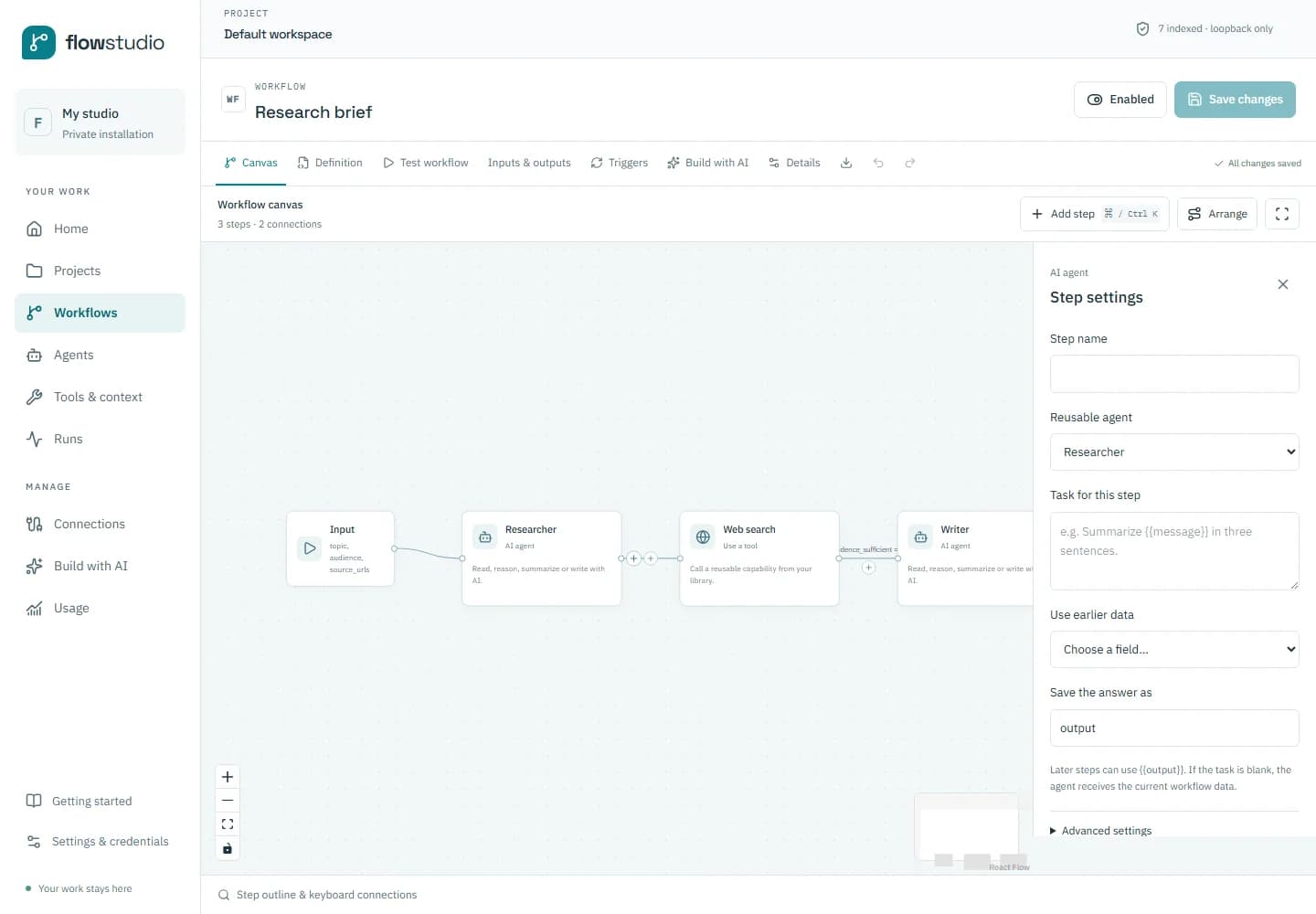
The problem
An AI workflow is more than a prompt. It has inputs, dependencies, intermediate decisions, and outputs that someone needs to trust. As the number of agents and tools grows, it becomes harder to see how those parts fit together or explain why a run behaved a particular way. Flowstudio brings that work into a visual environment, with the goal of making authoring approachable while keeping execution inspectable.
What I built
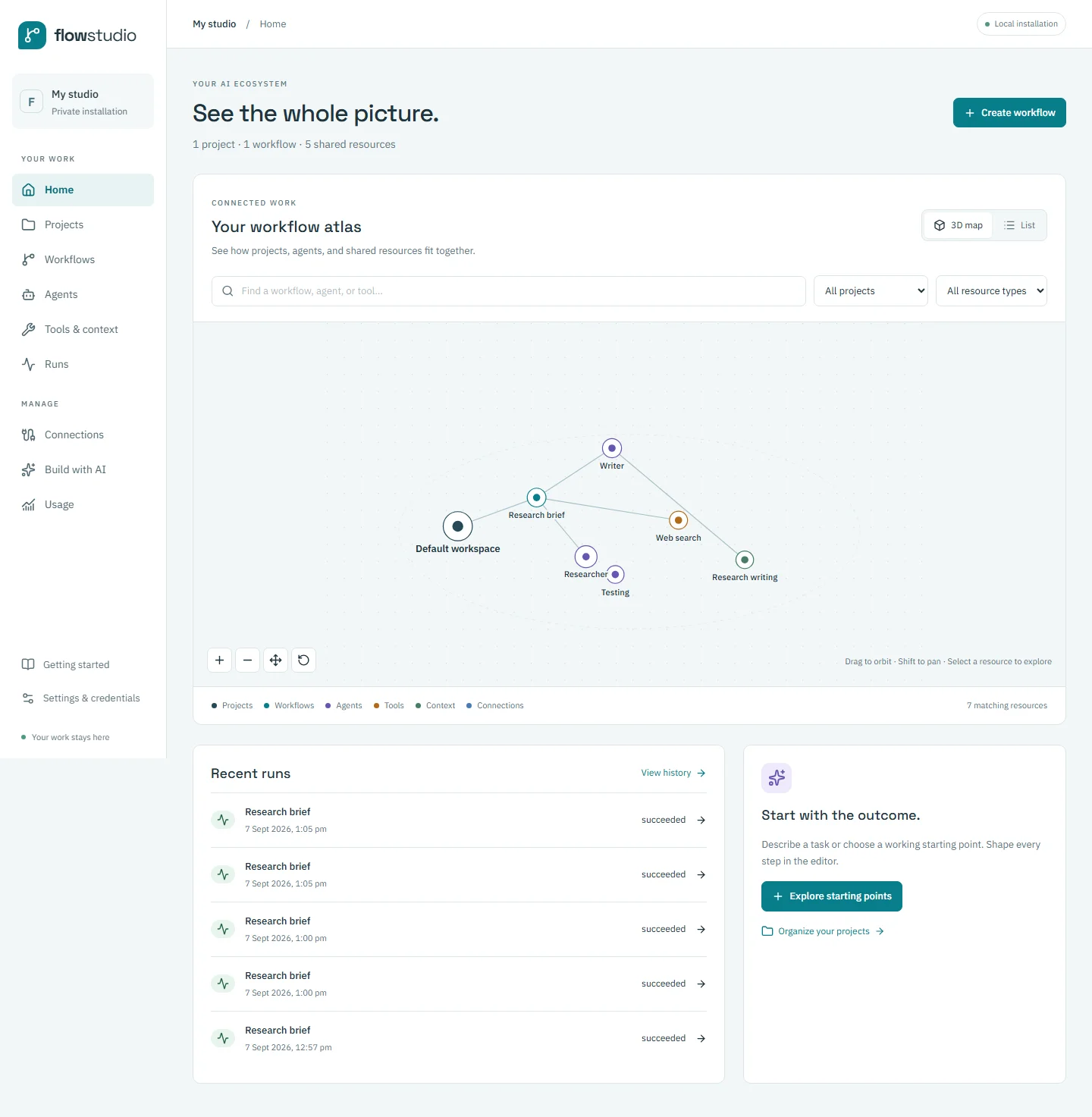
I worked across the product experience and full-stack implementation: project organisation, a visual workflow editor, reusable agents and tools, and a runtime for executing the resulting steps. The editor supports connections, configuration, and validation alongside a view of the workflow. A dependency map provides another way to explore related resources. These interfaces share a consistent project structure so the author can move between the big picture and an individual step.
The product journey
An author creates a project, starts a workflow, and connects the steps needed for a task. They configure the inputs and outputs, save the definition, and run it. The inspection experience then exposes step activity, results, and artifacts. Runs have durable state and history, supporting cancellation and revisiting a previous execution. Review steps make proposed changes visible before they are applied, so the person remains part of the workflow.
Scope and what it taught me
Flowstudio is a working local platform under active development. It is presented here through product captures rather than a hosted service or source release. The important engineering lesson is that execution and explanation need to be designed together: a visual editor is only useful when its steps correspond to behaviour a person can inspect. My focus is on that relationship between the authoring experience, runtime state, and clear feedback when something needs attention.